Kallen
Download

A posture reminder app that gets you moving

A “sit up straight” reminder works for about a week. After that, your eyes skip it and your thumb dismisses it automatically. Frequency is not the real problem. The message asks you to hold one position when your body needs regular changes of position.

Solutions

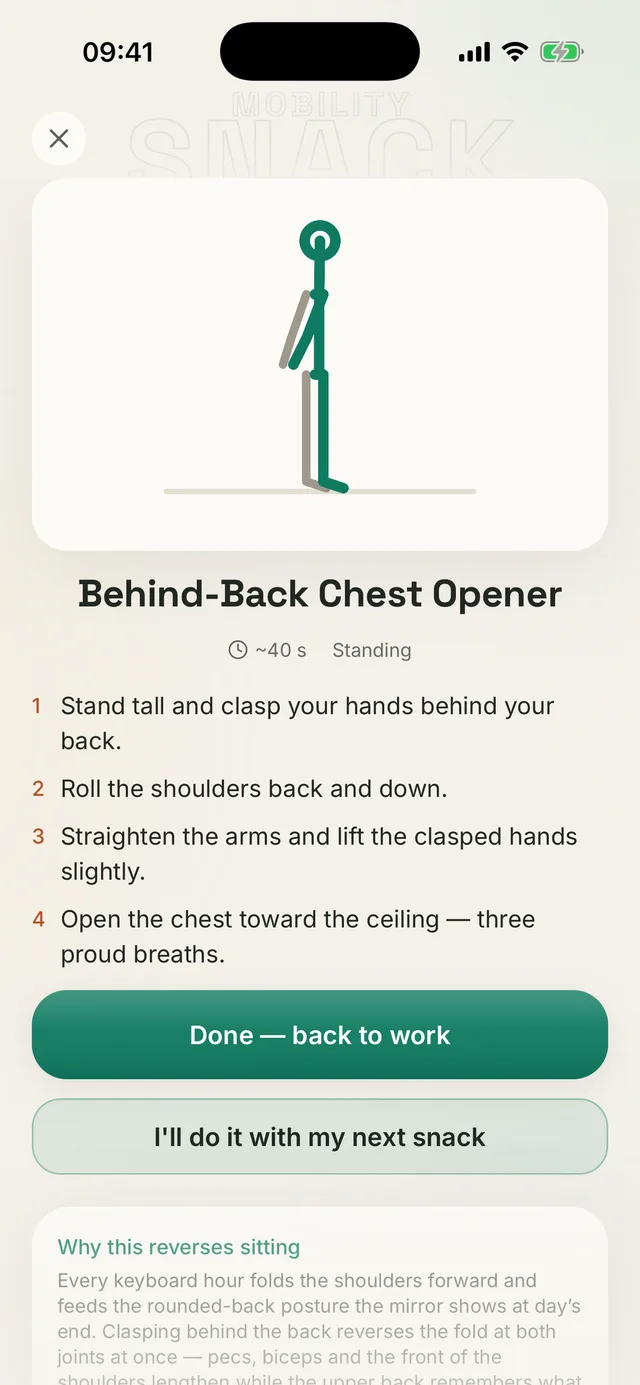
Kallen app screen: a short mobility break to do away from the desk

Why plain reminders stop working

A plain notification leaves two decisions to you: what to do and whether to interrupt your work. By the tenth alert of the day, both lose to the task in front of you. Holding “correct posture” through willpower also adds tension instead of giving you a break. Your body needs a change of position, not another command.

Your best posture is your next posture.

What works instead

A better break removes the choice. Your work block ends and the app gives you one specific exercise lasting under a minute. Do the movement, then return to work without browsing a library or planning a routine.

  • Movement instead of position: a few reps do more than a minute of holding still.
  • One exercise, drawn for you, with no library to scroll.
  • Tied to a work block rather than a fixed clock time, so the break lands when you are actually sitting.

How this works in Kallen

Reverse Sitting lets you start a work block and receive one Mobility Snack when it ends. The short mobilization is picked to match the tight areas in your profile. Regular training-session reminders run separately at the times you choose, and you can turn either type off.

Common questions

How often should I take a break at a computer?

Roughly every 30–45 minutes, which breaks up the longest stretches of stillness. What matters more than the exact interval is that the break contains movement. Standing up for coffee does more than adjusting how you sit.

Do posture reminders actually help?

They help interrupt stillness, and that is their real value. They do not change range of motion or strength; that takes regular sessions. The combination works best: short breaks through the day plus two or three sessions a week.

Can I silence them during meetings?

Yes. You start each work block manually, so you can leave it off during meetings. Session reminders have separate hours and their own on/off switch.

Specifics

Short answers, with numbers

Concrete answers to the questions people ask most about desk breaks.

01

Is there a posture reminder app that still works after the first week?

Look for one that gives you a movement instead of stopping at a message. With Reverse Sitting in Kallen, a completed work block unlocks one of 19 Mobility Snacks lasting 35–50 seconds. 10 can be done without leaving your chair, and the exercise is already chosen.
02

How often should I take a break from sitting at a computer?

Roughly every 30–45 minutes, which breaks up the longest stretches of stillness. What matters more than the exact interval is what you do: standing up and moving through a few reps is more useful than adjusting your seated position. Kallen offers work blocks of 25, 45 or 60 minutes.

03

Do posture reminders help at all if I just dismiss them anyway?

They can interrupt stillness, but they will not change your range of motion or strength. That takes regular sessions. A message is easy to dismiss when you still have to decide what to do. When the exercise arrives already chosen, the only task left is to move.

Inside the app

A reminder that brings the movement with it

Instead of another “sit up straight” prompt, you get a ready-to-follow movement and a clear return to work.

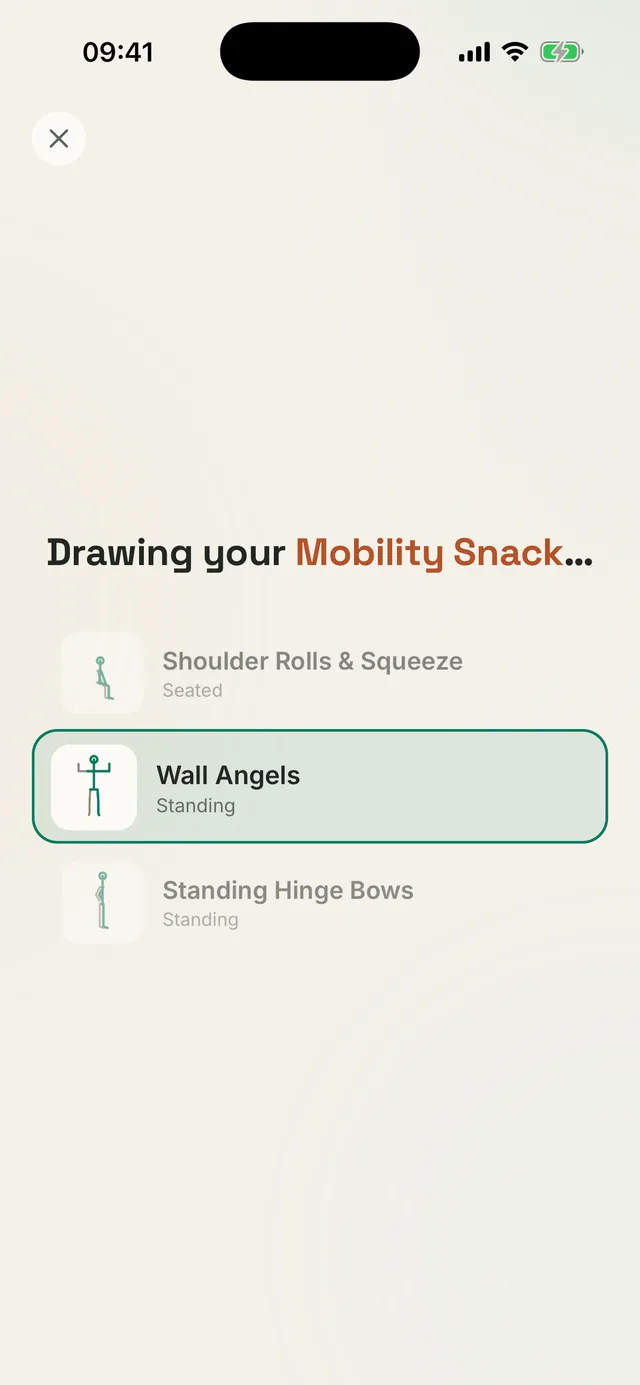
Kallen app screen: a short mobilization being drawn from three options matched to your profile

Your exercise is already chosen

When the work block ends, Kallen draws one mobilization from the set matched to your profile. There is nothing to browse or plan.

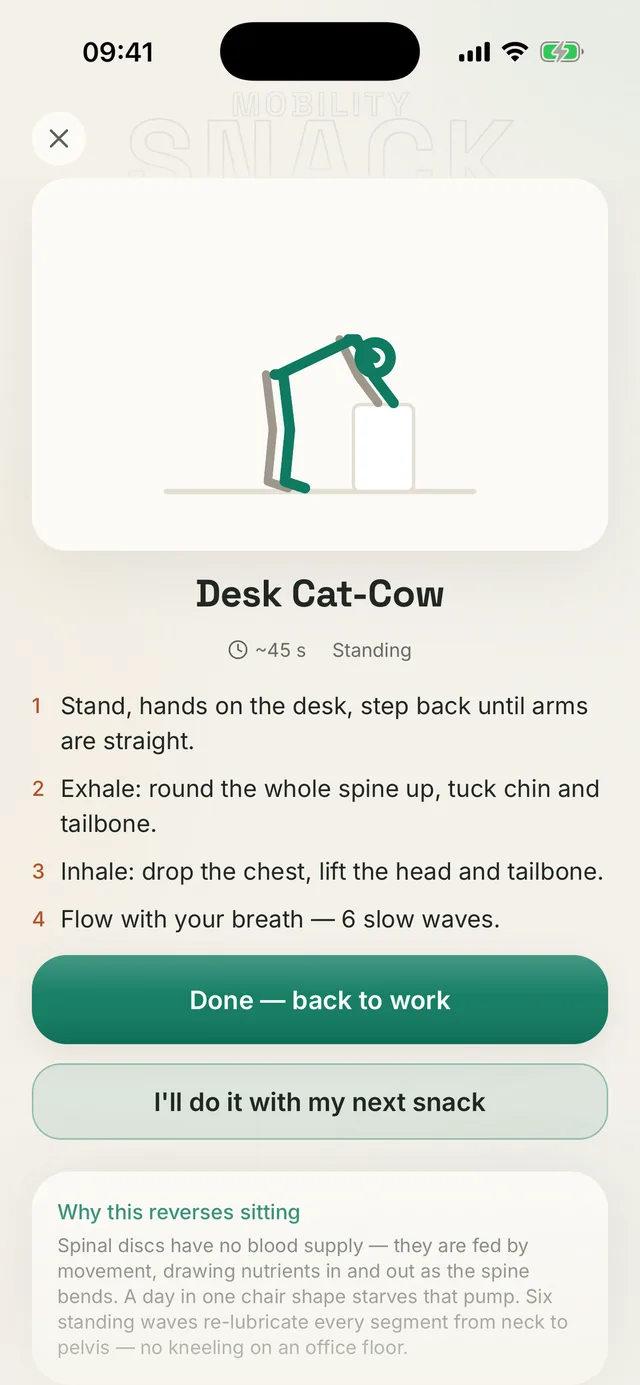
Kallen app screen: a 45-second desk cat-cow with steps and a “Done, back to work” button

Forty-five seconds, beside the desk

Follow a few clear steps beside your chair, then tap “Done, back to work.” It is short enough to fit into the middle of a busy afternoon.

Check your own results

Measure your range of motion in Kallen, build your Movement Profile and follow the plan step by step.

Download Kallen

No account. Your data is stored on your phone.